Shopping · Otto

Otto Search API
The Otto Search API gets you live Otto data the moment you ask, as clean, structured data – ready for your own app, a spreadsheet or an AI assistant. No scraping, nothing to maintain.
100 free requests every month · no credit card · one API key for all platforms
Key facts
Updated
A keyword search on otto.de for "Highboard" returns several thousand products spread over more than two hundred pages, mixed with sponsored placements and with a different ranking depending on whether the shopper sorts by bestsellers, price or novelty. The everydata.io Otto Search API gives you those result pages as structured JSON – one call per page, with the sort order you choose – so you can track rankings, discover new listings or build category-level price statistics without rendering the storefront.
- Platform
- Otto
- Main endpoint
- /otto-search-by-keyword
- Quota per call
- 2 requests
- Free plan
- 100 req / monththen from €30 / month
What the Otto Search API returns
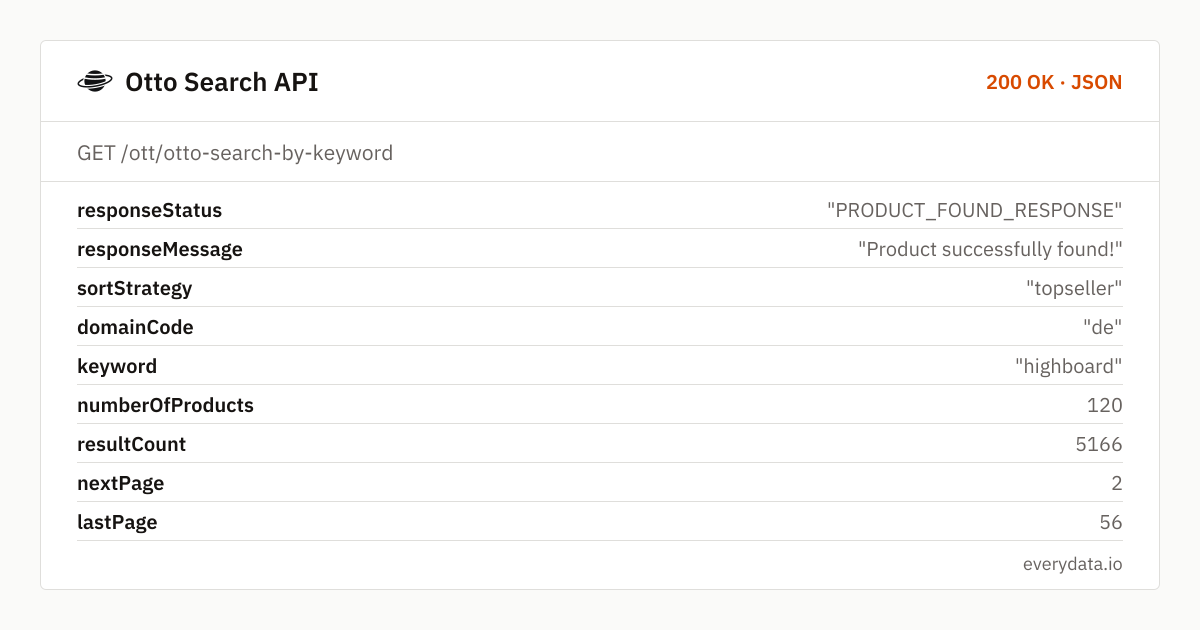
Every response starts with the search metadata: keyword and sortStrategy echo your request, resultCount is the total number of hits otto.de reports, numberOfProducts is how many items sit on this page, and nextPage / lastPage drive your pagination loop. A Highboard search, for instance, returns 120 products on page one out of 5,166 in total across 56 pages.
searchProductDetails is the result list. Each entry carries productDescription (the listing title), manufacturer, productId and the variationId Otto chose for the tile, price and retailPrice in EUR, productRating and countReview, imgUrl, dpUrl (the relative product path including ?variationId=), deliveryMessage such as "lieferbar - in 2-3 Werktagen bei dir", a sponsored boolean and a variations array listing the sibling variationIds and their labels, for example "Weiß | Korpus: Weiß".
- keyword, sortStrategy, resultCount, numberOfProducts, nextPage and lastPage for deterministic paging
- Per product: productDescription, manufacturer, productId, variationId, dpUrl and imgUrl
- price and retailPrice as numbers, so discounts on the result page are one subtraction away
- productRating and countReview to filter for well-reviewed items
- deliveryMessage and sponsored to separate organic results from paid placements
- variations[] with variationId and value for each colour or size Otto shows on the tile
- sortBy: topseller (default), preis-aufsteigend, preis-absteigend, neuheiten, bewertung
What teams build with the Otto Search API
Keyword rank tracking
Record the position of your productId for your top terms every morning with sortBy=topseller, distinguish sponsored from organic slots, and alert when a competitor moves above you.
New-listing discovery
Poll a category term with sortBy=neuheiten and diff the productIds against yesterday's set to catch new articles, new brands or new colour variations within hours.
Price-band analysis
Walk a search with preis-aufsteigend and preis-absteigend to find the cheapest and most expensive offers for a product type, then compute median price and discount depth from price and retailPrice.
Sponsored-placement audits
Agencies count sponsored tiles per page and keyword to measure how much paid inventory Otto sells for a term and which brands buy it.
Seeding product crawls
Use search as the entry point to collect dpUrls for an entire category, then hand them to the product endpoint for specs, images and the full variation matrix.
Otto Search API: example request and response
Call GET /ott/otto-search-by-keyword with keyword and page; both are required. Add sortBy to reproduce a shopper's sort order – the values are Otto's own German sort keys. Page one with the default topseller order corresponds to what a visitor sees after typing the term into the otto.de search box.
GET /ott/otto-search-by-keyword
curl "https://api.everydata.io/ott/otto-search-by-keyword?keyword=highboard&page=1&sortBy=topseller" \
  -H "x-api-key: YOUR_API_KEY"
Response (shortened)
{
  "responseStatus": "PRODUCT_FOUND_RESPONSE",
  "responseMessage": "Product successfully found!",
  "sortStrategy": "topseller",
  "domainCode": "de",
  "keyword": "highboard",
  "numberOfProducts": 120,
  "resultCount": 5166,
  "nextPage": 2,
  "lastPage": 56,
  "searchProductDetails": [
    {
      "productDescription": "LeGer Home by Lena Gercke Highboard Essentials, Sideboard, Kommode, Anrichte, Schrank, Stauraumschrank, Breite: 111 cm, UV lackiert, Push-to-open-Funktion",
      "manufacturer": "LeGer Home by Lena Gercke",
      "productId": "1658198337",
      "variationId": "2081559634",
      "countReview": 1,
      "imgUrl": "https://i.otto.de/i/otto/5ce00b97-95ba-5927-9915-35aaa2278456?$responsive_ft2$",
      "price": 869.99,
      "retailPrice": 1109.99,
      "productRating": "1.0",
      "dpUrl": "/p/leger-home-by-lena-gercke-highboard-essentials-sideboard-kommode-anrichte-schrank-stauraumschrank-breite-111-cm-uv-lackiert-push-to-open-funktion-1658198337/?variationId=2081559634",
      "deliveryMessage": "lieferbar - in 2-3 Werktagen bei dir",
      "sponsored": true,
      "variations": [
        {
          "variationId": "2081559598",
          "value": "Weiß | Korpus: Weiß"
        },
        {
          "variationId": "2081559615",
          "value": "Kaschmir | Korpus: Kaschmir"
        }
      ]
    }
  ]
}
dpUrl is relative – prefix it with https://www.otto.de to obtain a URL you can pass straight into GET /ott/otto-lookup-product. The variationId in the query string is the item Otto showed on the tile; swap it for one of the variations[] ids to open a sibling colour. Deep pagination works, but a resultCount of several thousand rarely needs all pages: for ranking work the first three pages cover what shoppers actually scroll through.
Result tiles do not carry shippingPrice or a stock quantity; those live on the product page. Treat the search endpoint as the discovery layer and the product endpoint as the detail layer, and cache search pages with withCache when you crawl the same term several times a day.
sortStrategy in the response confirms which order otto.de actually applied. If you pass an unknown sortBy value, Otto falls back to its default and the field tells you so.
Related endpoints
Search products. Keyword search with paging: title, price, rating and image per product.
Product details. Product page by URL. Temporarily unavailable (otto.de bot protection), returns 502 and is not charged.
Reviews. Paged reviews for a product.
Otto Search API pricing: pay per request
Each search page is one request, whatever its size – Otto tiles range from 24 to 120 products per page depending on the term. Tracking 50 keywords across their first three pages every day needs about 4,500 requests a month, which fits the Starter plan (€30). withCache lets repeated lookups of the same term share one upstream fetch.
- Free
- 100 req / month
- Starter
- 5,000 req · €30
- Production
- 50,000 req · €80
- Business
- 300,000 req · €300
Otto Search API: frequently asked questions
Which sortBy values are supported?
topseller (default), preis-aufsteigend, preis-absteigend, neuheiten and bewertung – the same keys otto.de uses in its sort menu. The applied order is echoed in sortStrategy.
How many results does one page contain?
numberOfProducts tells you per response; otto.de typically renders between 24 and 120 tiles depending on category and device layout. Use nextPage and lastPage to iterate rather than assuming a fixed page size.
Can I filter by brand, colour or price range?
The endpoint accepts keyword, page and sortBy only. Put the brand into the keyword ("Vladon Highboard") for a brand-scoped search and filter price or manufacturer client-side from the returned fields.
Are sponsored products included?
Yes, they appear in the list exactly where otto.de shows them and carry sponsored: true. Filter them out if you want the organic ranking.
Does the search return stock or shipping cost?
It returns deliveryMessage per tile, which indicates availability and delivery time, but not shippingPrice or quantities. Call the product endpoint on dpUrl for those.
Related use cases


Run your first otto.de search
Create a free account and fetch a search results page as JSON in under a minute – no browser automation, no proxies.