Shopping · Amazon

Amazon Search API
The Amazon Search API gets you live Amazon data the moment you ask, as clean, structured data – ready for your own app, a spreadsheet or an AI assistant. No scraping, nothing to maintain.
100 free requests every month · no credit card · one API key for all platforms
Key facts
Updated
Amazon's search page is the marketplace's storefront window: which ASINs rank for a query, which of them are paid placements, what they cost and how many people bought them last month. The everydata.io Amazon Search API fetches that page live for any keyword and marketplace and returns the result grid as a JSON array – one call per results page, sortable the same way a shopper would sort it, with sponsored products either flagged or removed.
- Platform
- Amazon
- Main endpoint
- /amazon-search-by-keyword-asin
- Quota per call
- 1 request
- Free plan
- 100 req / monththen from €30 / month
What the Amazon Search API returns
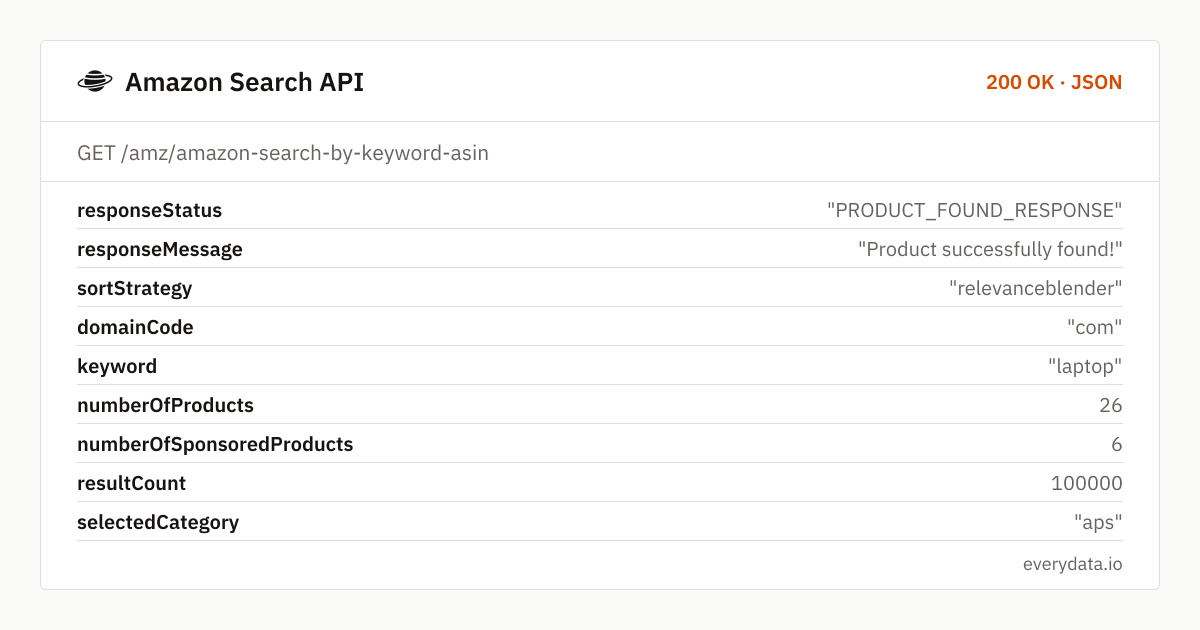
Each call returns the products of exactly one results page in ranking order. numberOfProducts tells you how many organic products were on that page, numberOfSponsoredProducts how many ads were mixed in, and resultCount is Amazon's own "over 100,000 results" figure for the keyword. foundProducts and foundSponsoredProducts are plain ASIN lists, handy for a quick rank check without touching the detail objects.
searchProductDetails carries the detail per tile: productDescription (the tile title), asin, price and retailPrice as numbers with currency, productRating and countReview, the prime badge, salesVolume ("50+ bought in past month"), the deliveryMessage Amazon showed and a sponsored flag. dpUrl is the relative product link, so you can build a canonical URL with the marketplace host. starFilterParam and categories expose the refinements Amazon offered alongside the results.
- Ranked result list per page with organic and sponsored counts separated
- Per-tile ASIN, title, price, list price, currency, rating, review count and image URL
- Prime eligibility, sales-volume badge and Amazon's delivery message per product
- sortBy: relevanceblender, price-asc-rank, price-desc-rank, review-rank, date-desc-rank
- Restrict the query to a search alias (category) or a browse node id (browseNode)
- excludeSponsored=true to drop ads; withCache=true to accept a 10-minute cached page
- Every marketplace by domainCode – com, de, co.uk, fr, it, es, ca, co.jp, in, com.au, nl, se, pl and more
What teams build with the Amazon Search API
Keyword rank tracking for sellers and agencies
Fetch pages 1–3 for every tracked keyword once a day, locate your ASINs in foundProducts and store the position. Separate organic and sponsored ranks with the sponsored flag.
Share-of-shelf and competitor monitoring
Count how many first-page tiles belong to each brand for your core queries across amazon.com, .de and .co.uk. salesVolume adds a demand signal per competitor.
Product discovery and sourcing
Sort by review-rank or date-desc-rank to surface well-rated or newly listed products in a niche, then pull details for the shortlist via the product endpoint.
Price monitoring across a search
Sort a keyword by price-asc-rank and store price, retailPrice and salesVolume per ASIN every day. You see price changes across the whole first page, not only for the products you already know.
Ad-intelligence dashboards
numberOfSponsoredProducts per page and the sponsored ASIN list show how contested a keyword is and which competitors buy placements for it.
Amazon Search API: example request and response
Call GET /amz/amazon-search-by-keyword-asin with a keyword and a domainCode. page defaults to 1 and goes up to 400; sortBy defaults to relevanceblender, which is Amazon's "Featured" order. The category parameter takes a search alias exactly as Amazon uses it in the department dropdown – aps for all departments, electronics, computers and so on. An invalid alias produces an empty result, not an error, so keep a list of known aliases per marketplace.
GET /amz/amazon-search-by-keyword-asin
curl "https://api.everydata.io/amz/amazon-search-by-keyword-asin?keyword=laptop&domainCode=com&page=1&sortBy=relevanceblender&excludeSponsored=false" \
  -H "x-api-key: YOUR_API_KEY"
Response (shortened)
{
  "responseStatus": "PRODUCT_FOUND_RESPONSE",
  "responseMessage": "Product successfully found!",
  "sortStrategy": "relevanceblender",
  "domainCode": "com",
  "keyword": "laptop",
  "numberOfProducts": 26,
  "numberOfSponsoredProducts": 6,
  "resultCount": 100000,
  "selectedCategory": "aps",
  "foundSponsoredProducts": [
    "B0FGJ14KRX",
    "B0GY7F4FDK"
  ],
  "foundProducts": [
    "B0HFJ9BNPL",
    "B0HF38QXHL"
  ],
  "searchProductDetails": [
    {
      "productDescription": "Acer Aspire 14 AI Copilot+ PC - Intel Core Ultra 5 226V & 14” WUXGA Touch | 16GB LPDDR5X | 1TB Gen 4 SSD",
      "asin": "B0FGJ14KRX",
      "countReview": 20,
      "imgUrl": "https://m.media-amazon.com/images/I/61kp09SeFyL._AC_UY218_.jpg",
      "price": 548.44,
      "retailPrice": 0,
      "productRating": "4.0 out of 5 stars",
      "prime": false,
      "dpUrl": "/dp/B0FGJ14KRX",
      "salesVolume": "50+ bought in past month",
      "sponsored": true,
      "currency": "USD"
    }
  ],
  "starFilterParam": {
    "Apply 4 Stars & Up filter to narrow results": "p_72:1248879011"
  },
  "currentPage": 1,
  "lastPage": 20
}
Paging is explicit: currentPage echoes what you asked for and lastPage is the highest page Amazon linked in its pagination bar. A typical page holds 16 to 60 tiles depending on layout, so numberOfProducts varies. Rank positions are the array index of searchProductDetails plus the offset of previous pages – the API does not renumber tiles, so sponsored entries keep their real slot unless you pass excludeSponsored=true.
Results depend on the marketplace and on Amazon's default delivery location for that request; the deliveryMessage in the example ("Ships to Germany") shows what location applied. A retailPrice of 0 means no crossed-out list price was shown, and a price of 0 means the tile carried no price at all, which happens for items with variations that need a selection first.
The 10-minute cache (withCache=true) helps when several parts of your system fire the same query within minutes – the second call is answered from cache and returns faster. browseNode narrows a query to a node id such as 10158976011 when the alias is too broad.
Related endpoints
Search products. Keyword search with paging, sorting and sponsored filtering.
Product details by ASIN. Same payload as product details, addressed by ASIN and marketplace.
Best sellers. Best-seller list for a category URL.
Amazon Search API pricing: pay per request
One results page equals one request, whatever the page size. Tracking 100 keywords on the first three pages daily uses about 9,000 requests a month – the Production plan (50,000 requests, €80) covers that with room for several marketplaces, and Starter (5,000 requests, €30) fits a smaller keyword set on page 1 only. Amazon-side 5xx failures are not billed.
- Free
- 100 req / month
- Starter
- 5,000 req · €30
- Production
- 50,000 req · €80
- Business
- 300,000 req · €300
Build it step by step
Let an LLM look up live Amazon prices while it answers: two Python tools, one JSON Schema and working loops for OpenAI- and Anthropic-style tool calling.
Python · AmazonScrape Amazon with Python: search results with price, rating and sales volume, then full product data per ASIN – saved to CSV, no HTML parsing or proxies.
Comparison · Headless browsersPuppeteer vs Playwright for web scraping: languages, browsers, installation and auto-waiting compared from official docs – and when you need no browser.
Amazon Search API: frequently asked questions
Is this an Amazon scraper?
In effect, yes: everydata.io loads the Amazon search page live and turns it into JSON. You do not run your own Amazon scraper, proxies or parser – you send a keyword and get the product data of the results page.
How do I get seller, offer and ranking data for the results?
Take the ASINs from foundProducts and call the product endpoint for soldBy and the buy-box price, or /amz/amazon-lookup-prices for every seller offer. For the rank inside a category, use the best-sellers endpoint /amz/amazon-best-sellers-list.
How many products are returned per page?
Exactly what Amazon rendered on that page – usually between 16 and 60 tiles, reported in numberOfProducts plus numberOfSponsoredProducts. For a fixed number of results, keep requesting pages until you have enough or currentPage reaches lastPage.
Can I filter results by price or rating?
Not as direct parameters. Use sortBy to order by price or reviews, then filter client-side on price and productRating. The starFilterParam field shows the refinement Amazon offered, which you can reuse as a browseNode-style restriction where applicable.
Are sponsored products included?
By default yes, each marked with sponsored: true and listed separately in foundSponsoredProducts. Set excludeSponsored=true to receive only organic results.
Does the search work for EAN or UPC codes?
Yes – Amazon treats a GTIN as a keyword and usually returns the matching ASIN as the first result. This is the standard way to resolve barcodes to ASINs before calling the product endpoint.
Which marketplaces can I search?
All Amazon marketplaces via domainCode, from com and de to co.jp, com.au, pl, ae and sg. Titles and delivery messages come back in the marketplace language.
Related use cases


Run your first Amazon search query
Sign up for free, send one keyword and receive the full results page as JSON – 100 requests a month at no cost.