Shopping · Lidl

Lidl Search API
The Lidl Search API gets you live Lidl data the moment you ask, as clean, structured data – ready for your own app, a spreadsheet or an AI assistant. No scraping, nothing to maintain.
100 free requests every month · no credit card · one API key for all platforms
Key facts
Updated
lidl.de search behaves like a discounter's shelf: a term such as "schuhe" returns a few hundred articles rather than tens of thousands, the set changes every week as campaigns start and end, and a good part of the list is already discounted with a crossed-out price. The everydata.io Lidl Search API returns those result pages as JSON with pagination, seven sort orders and the availability flag per tile – ideal for spotting new promotions, sweeping a category by price or feeding a weekly-deals tracker.
- Platform
- Lidl
- Main endpoint
- /search-by-keyword
- Quota per call
- 1 request
- Free plan
- 100 req / monththen from €30 / month
What the Lidl Search API returns
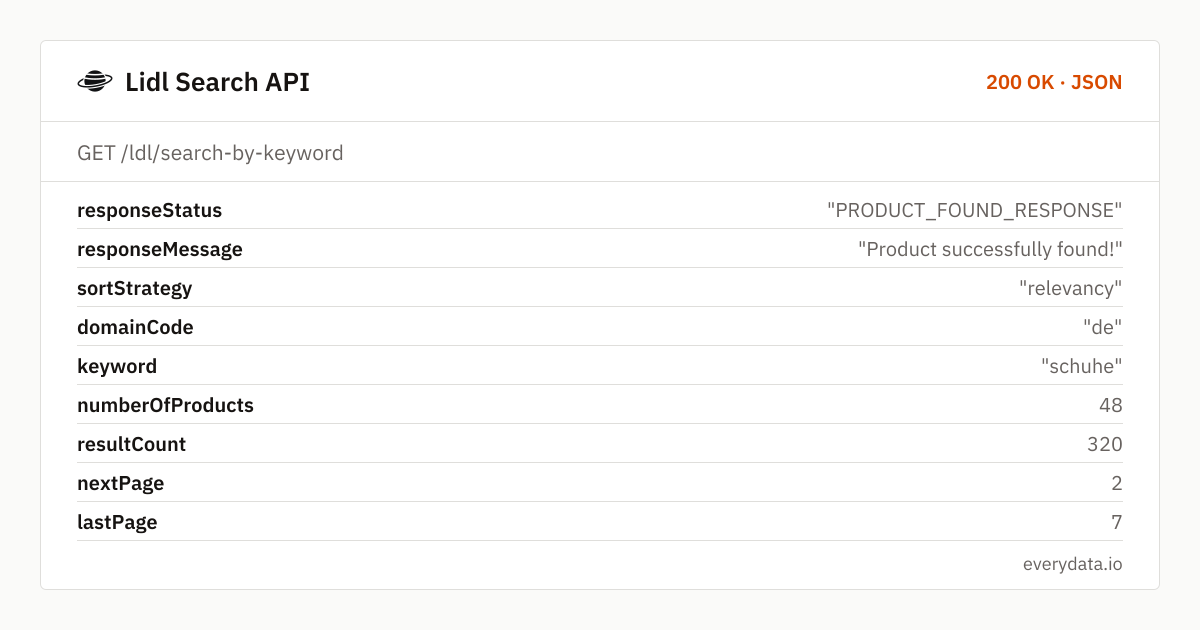
The envelope holds keyword, sortStrategy, numberOfProducts for this page (around 48 to 50 tiles), resultCount for the whole search (320 for "schuhe"), nextPage and lastPage. Lidl's smaller assortment means you often reach the last page within four to seven calls, which makes full sweeps cheap.
searchProductDetails lists each tile with productDescription (the article name, for example "LUPILU® Kinder Hausschuhe"), manufacturer where Lidl shows a brand, productId, price and retailPrice in EUR (a 4.99 slipper crossed out from 7.99), productRating and countReview when the article has reviews, imgUrl, the absolute dpUrl, deliveryMessage ("lieferbar"), a sponsored flag and available – a boolean that tells you immediately whether the tile can still be bought.
- keyword, sortStrategy, numberOfProducts, resultCount, nextPage and lastPage
- Per tile: productDescription, manufacturer, productId, imgUrl and absolute dpUrl
- price and retailPrice as numbers, so discounted articles are found with one comparison
- available boolean and deliveryMessage per tile
- productRating and countReview for review-based filtering
- sponsored flag for paid placements
- sortBy: relevancy (default), price, price-desc, ratingScore-desc, deliveryStartDate-desc, sh_carts-desc, discountPercentage-desc
What teams build with the Lidl Search API
Weekly promotion discovery
Deal communities poll category terms with sortBy=deliveryStartDate-desc every morning and publish newly listed Parkside, Silvercrest or Livarno articles within hours of going live.
Discount sweeps
Sort by discountPercentage-desc and compare price with retailPrice to list every article currently reduced, ranked by depth of markdown.
Sell-out monitoring
Re-run a term and watch the available flag: articles flipping to false tell you which promotions sold out first – valuable signal for buyers and for comparison sites that should stop linking to them.
Category price-band research
Walk a search with price and price-desc to bracket the cheapest and most expensive offers for a product type in Lidl's assortment, and compare with other discounters.
Seeding product crawls
Use the search as the entry point to collect dpUrls, then call the product endpoint for specs, images and shipping cost while the articles are still online.
Lidl Search API: example request and response
Call GET /ldl/search-by-keyword with keyword and page; add sortBy to change the order. The sort keys are Lidl's internal names: price is ascending, price-desc descending, ratingScore-desc best-rated first, discountPercentage-desc deepest discount first and sh_carts-desc the most-added-to-cart articles.
GET /ldl/search-by-keyword
curl "https://api.everydata.io/ldl/search-by-keyword?keyword=schuhe&page=1&sortBy=relevancy" \
  -H "x-api-key: YOUR_API_KEY"
Response (shortened)
{
  "responseStatus": "PRODUCT_FOUND_RESPONSE",
  "responseMessage": "Product successfully found!",
  "sortStrategy": "relevancy",
  "domainCode": "de",
  "keyword": "schuhe",
  "numberOfProducts": 48,
  "resultCount": 320,
  "nextPage": 2,
  "lastPage": 7,
  "searchProductDetails": [
    {
      "productDescription": "Kinder Hausschuhe",
      "productId": "100412669",
      "countReview": 0,
      "imgUrl": "https://www.lidl.de/assets/gcp5772f230ed84466bb1db79a62f6026b0.jpg",
      "price": 4.99,
      "retailPrice": 7.99,
      "productRating": "",
      "dpUrl": "https://www.lidl.de/p/kinder-hausschuhe/p100412669",
      "deliveryMessage": "lieferbar",
      "sponsored": false,
      "available": true
    },
    {
      "productDescription": "LUPILU® Kinder Hausschuhe",
      "manufacturer": "LUPILU®",
      "productId": "100409128",
      "countReview": 0,
      "imgUrl": "https://www.lidl.de/assets/gcp2b59f2b509604dcc9edba429d4829714.jpg",
      "price": 8.99,
      "retailPrice": 0,
      "productRating": "",
      "dpUrl": "https://www.lidl.de/p/lupilu-kinder-hausschuhe/p100409128",
      "deliveryMessage": "lieferbar",
      "sponsored": false,
      "available": true
    }
  ]
}
Search results on lidl.de carry no shippingPrice and no feature bullets; open dpUrl with GET /ldl/lookup-product-details for those. productRating comes back as an empty string when an article has no ratings yet – common for brand-new campaign items – so treat "" as null rather than as zero stars.
Because a keyword search is small, a full crawl of a term is a handful of requests. Combine sortBy=discountPercentage-desc with a broad term to list the week's deepest reductions, or deliveryStartDate-desc to see which articles were listed most recently. If you run the same term hourly, pass withCache so repeated calls share one upstream fetch.
Related endpoints
Search products. Keyword search with paging and sorting: price, brand and delivery status per article.
Product details. Product page by URL: title, brand, price, shipping, rating, specs and images.
Reviews. Paged, sortable reviews by Lidl article number.
Lidl Search API pricing: pay per request
A results page is one request and holds about 50 tiles, so a full "schuhe" sweep costs seven requests. Monitoring 30 terms twice a day across two pages is about 3,600 requests a month – within the Starter plan (€30). Combine with product lookups for the tiles that changed and Production (50,000 requests, €80) covers most trackers.
- Free
- 100 req / month
- Starter
- 5,000 req · €30
- Production
- 50,000 req · €80
- Business
- 300,000 req · €300
Lidl Search API: frequently asked questions
Which sortBy values are available?
relevancy (default), price, price-desc, deliveryStartDate-desc, ratingScore-desc, sh_carts-desc and discountPercentage-desc. The applied order is echoed in sortStrategy.
Does the search show whether an article is sold out?
Yes. Every tile carries available true/false and a deliveryMessage such as "lieferbar". Sold-out promotional items often stay in the index for a while with available: false.
Can I search only within Parkside or another own brand?
Put the brand into the keyword ("Parkside Akku") – Lidl's search matches brand names – and filter the manufacturer field client-side to drop other suppliers.
How many results does lidl.de return per term?
Far fewer than a marketplace: hundreds rather than thousands for generic terms. numberOfProducts is about 48 to 50 per page; lastPage tells you the total depth.
Is shipping cost part of the search response?
No. shippingPrice, features and the specification table are on the product page; call GET /ldl/lookup-product-details with the tile's dpUrl.
Related use cases
Run your first lidl.de search
Create a free account and pull a full lidl.de results page as JSON in one GET request – 100 requests a month included.