Shopping · Lidl

Lidl Price Monitoring API
The Lidl Price Monitoring API gets you live Lidl data the moment you ask, as clean, structured data – ready for your own app, a spreadsheet or an AI assistant. No scraping, nothing to maintain.
100 free requests every month · no credit card · one API key for all platforms
Key facts
Updated
Lidl does not run a marketplace and rarely drifts a price by a few cents. Prices on lidl.de move in steps tied to campaigns: an article launches at its campaign price, gets a retailPrice strike-through and a priceSaving badge when it is reduced, sells out – available flips to false – and returns weeks or months later, sometimes as a new revision with a new model code. Monitoring Lidl is therefore about capturing those steps and the moments in between. The everydata.io Lidl Price Monitoring API is our product-details endpoint polled at your interval, returning the exact commercial fields from the page each time.
- Platform
- Lidl
- Main endpoint
- /lookup-product-details
- Quota per call
- 1 request
- Free plan
- 100 req / monththen from €30 / month
What the Lidl Price Monitoring API returns
There is no price-history endpoint for lidl.de. Every call performs a live fetch and returns the current values; you append them to your own table and derive the history. Given Lidl's cadence this is straightforward – one or two polls a day per article record every campaign step, and the available flag plus a 404 mark the end of an article's run.
Per poll you receive price, retailPrice and priceSaving (Lidl's badge string, empty when there is no reduction), shippingPrice – 5.95 for standard parcels, 0 when Lidl waives it – plus available, warehouseAvailability ("lieferbar") and deliveryMessage ("Sofort lieferbar! In 3 Arbeitstagen bei dir"). For category-wide tracking GET /ldl/search-by-keyword with sortBy=price, price-desc, ratingScore-desc or discountPercentage-desc returns price and retailPrice for every tile in one call.
- price, retailPrice and priceSaving to identify campaign reductions versus regular pricing
- shippingPrice (5.95 or 0) so free-shipping promotions show up in your history
- available boolean and deliveryMessage to log sell-outs and restocks
- productId for stable identification across relaunches of the same URL
- Search-based sweeps with price, price-desc, ratingScore-desc and discountPercentage-desc
- Realtime on every call; lidl.de-side errors are not billed
What teams build with the Lidl Price Monitoring API
Parkside and own-brand price archives
Tool enthusiasts and review sites record every campaign price of a Parkside model, so readers can see whether 23.99 is the usual price or an actual reduction.
Deal alerts with sell-out awareness
Deal platforms notify on a new reduction (retailPrice appears) and stop advertising as soon as available flips to false – avoiding links to sold-out articles.
Discounter benchmarking
Competing retailers compare Lidl's campaign price and 5.95 shipping with their landed price for equivalent private-label goods, week by week.
Promotion-calendar analytics
Analysts aggregate observations across categories to map how long lidl.de campaigns last, how deep reductions go and how quickly popular articles sell out.
Lidl Price Monitoring API: example request and response
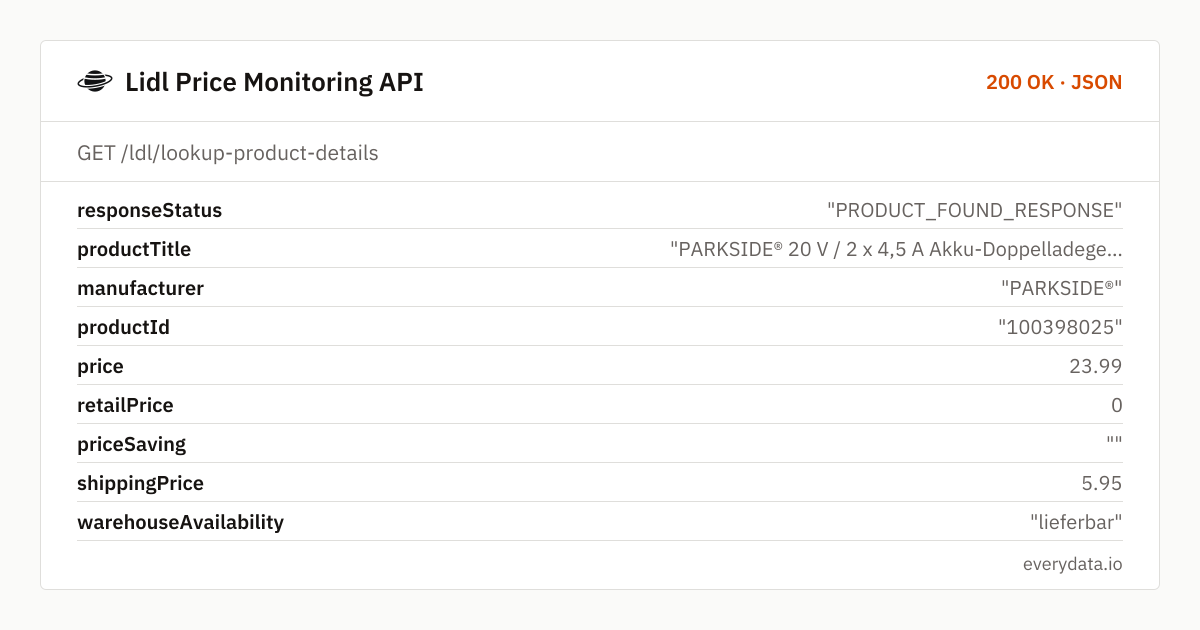
Store the lidl.de URL (or just the p-number in a placeholder URL) for each article and call GET /ldl/lookup-product-details on your schedule. The example is a Parkside dual charger from the 20 V family; only monitoring-relevant fields are shown.
GET /ldl/lookup-product-details
curl "https://api.everydata.io/ldl/lookup-product-details?url=https%3A%2F%2Fwww.lidl.de%2Fp%2Fparkside-20-v-2-x-4-5-a-akku-doppelladegeraet-pdslg-20-b1-ohne-akku%2Fp100398025" \
  -H "x-api-key: YOUR_API_KEY"
Response (shortened)
{
  "responseStatus": "PRODUCT_FOUND_RESPONSE",
  "productTitle": "PARKSIDE® 20 V / 2 x 4,5 A Akku-Doppelladegerät »PDSLG 20 B1«, ohne Akku",
  "manufacturer": "PARKSIDE®",
  "productId": "100398025",
  "price": 23.99,
  "retailPrice": 0,
  "priceSaving": "",
  "shippingPrice": 5.95,
  "warehouseAvailability": "lieferbar",
  "deliveryMessage": "Sofort lieferbar! In 3 Arbeitstagen bei dir",
  "available": true,
  "countReview": 380,
  "productRating": "4.9"
}
Your history table: observedAt, productId, price, retailPrice, priceSaving, shippingPrice, available, deliveryMessage. Derive a campaignPhase per row – regular (retailPrice 0, priceSaving empty), reduced (retailPrice > price), soldOut (available false) and delisted (404) – and you can plot each article's life cycle, count how many days a reduction lasted and how often a Parkside tool came back at the same price.
Polling guidance: lidl.de changes prices with campaign starts, typically Monday and Thursday mornings, and sell-outs happen during the day for popular tools. One poll after 07:00 CET and one in the evening capture nearly everything; hourly polling is only worth it for launch days of sought-after articles.
Handle 404 as a state, not an error: the article left the shop. Keep the row, mark delisted, and consider a low-frequency re-check – many Lidl articles return under the same p-number in the next cycle. Upstream 502/503 responses are not billed; simply retry on the next run.
Related endpoints
Product details. Product page by URL: title, brand, price, shipping, rating, specs and images.
Search products. Keyword search with paging and sorting: price, brand and delivery status per article.
Reviews. Paged, sortable reviews by Lidl article number.
Lidl Price Monitoring API pricing: pay per request
Every poll counts as one request. Following 80 articles twice a day is about 4,800 requests a month – the Starter plan (€30). Add search sweeps or a larger watch list and Production (50,000 requests, €80) is the right size; Business (300,000, €300) handles several thousand articles at the same cadence. lidl.de-side failures are never charged.
- Free
- 100 req / month
- Starter
- 5,000 req · €30
- Production
- 50,000 req · €80
- Business
- 300,000 req · €300
Lidl Price Monitoring API: frequently asked questions
Do you provide historical prices for lidl.de articles?
No. Monitoring is done by re-polling GET /ldl/lookup-product-details and storing each result. The four-phase schema described above gives you a usable history after the first campaign cycle.
How do I recognise a reduction?
retailPrice becomes greater than price and priceSaving carries Lidl's badge text. In regular pricing retailPrice is 0 and priceSaving is an empty string.
What happens when an article sells out?
available turns false while the page still exists; later the page may return 404 when Lidl removes the article. Both states are worth storing – restocks under the same p-number are common.
Is shipping included in the price?
No. price is the article price including VAT; shippingPrice is separate and mostly 5.95 EUR per order. Add both for a landed-price comparison.
Can I monitor a whole category at once?
Use GET /ldl/search-by-keyword with sortBy=discountPercentage-desc or price to get price, retailPrice and available for up to 50 tiles per request, then poll individual product pages only for articles that changed.
Does this cover Lidl stores or other countries?
Only the German online shop lidl.de. In-store leaflet prices and other national Lidl shops are not part of this endpoint.
Related use cases

Start tracking lidl.de campaign prices
Free account, one GET request per poll, and your Lidl price history begins with today's campaign.