Shopping · Kaufland
Kaufland Price Monitoring API
The Kaufland Price Monitoring API gets you live Kaufland data the moment you ask, as clean, structured data – ready for your own app, a spreadsheet or an AI assistant. No scraping, nothing to maintain.
100 free requests every month · no credit card · one API key for all platforms
Key facts
Updated
On kaufland.de a price rarely moves because one retailer decided to discount. It moves because a different merchant took over the default offer, because the last unit at a promotional price was sold, or because a seller's repricer reacted to yours. Monitoring Kaufland therefore means tracking three things together: the price, the seller behind it and the stock sentence next to it. The everydata.io Kaufland Price Monitoring API is our product-details endpoint used on a schedule – each poll returns price, shippingPrice, soldBy and warehouseAvailability for the productId you watch, and you keep the sequence.
- Platform
- Kaufland
- Main endpoint
- /product/details
- Quota per call
- 1 request
- Free plan
- 100 req / monththen from €30 / month
What the Kaufland Price Monitoring API returns
We do not offer a stored price-history endpoint for kaufland.de. Every request is a live fetch of the product page, and the history is the table you build from those responses. For a marketplace this is the honest approach: what you want to know afterwards is not only "what was the price on Tuesday" but "who held the offer on Tuesday", and only your own observation log can answer both.
Each observation gives you the default-offer price in EUR, shippingPrice (frequently 0 but not always), the soldBy sentence naming the merchant, the scarcity or stock line such as "Nur noch 1 zu diesem Preis" or "Nur noch 5 Stück auf Lager", and retailPrice when the seller shows a strike-through. For category-wide sweeps, GET /kfl/product/search with sortBy=price-asc lists the cheapest offers per keyword and sortBy=bestsellers the ones that actually sell.
- price and shippingPrice of the offer Kaufland currently shows as default
- soldBy – the merchant name, so seller changes are visible in your history
- warehouseAvailability with scarcity phrasing that signals the end of a promotional price
- retailPrice where the seller displays a crossed-out reference
- variations[] with per-variant dpUrl and available to monitor colour siblings
- Search sweeps with price-asc and bestsellers to detect new lowest offers per keyword
- Realtime per call; 5xx from kaufland.de are not billed
What teams build with the Kaufland Price Monitoring API
Repricing against marketplace competitors
Sellers on kaufland.de poll their own productIds, compare landed price with the default offer and adjust their price in their marketplace tool – only when the winning seller is not themselves.
Seller-change and hijack detection
Brands log soldBy per poll to see when an unknown merchant takes the default offer of their product, and how long each seller holds it.
Consumer deal alerts with context
Deal sites notify users when price falls below their stored minimum and include seller name and the scarcity line so readers know whether to hurry.
Lowest-offer sweeps per keyword
Run GET /kfl/product/search with sortBy=price-asc for model names daily and record the top result's price and productId to find new lowest offers before they show up on the product page.
Kaufland Price Monitoring API: example request and response
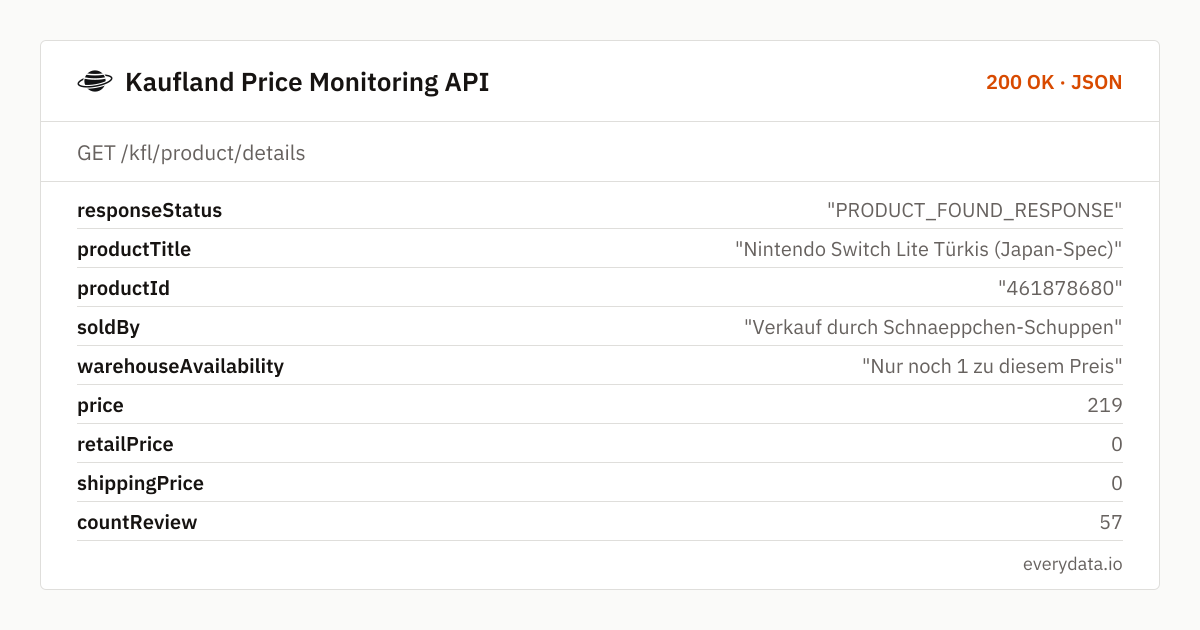
Keep the productId (or short URL) for every item in your list and call GET /kfl/product/details on a timer. Persist the fields shown here with a timestamp. The example is a console offered by a small merchant at a limited-quantity price.
GET /kfl/product/details
curl "https://api.everydata.io/kfl/product/details?url=https%3A%2F%2Fwww.kaufland.de%2Fproduct%2F461878680%2F" \
  -H "x-api-key: YOUR_API_KEY"
Response (shortened)
{
  "responseStatus": "PRODUCT_FOUND_RESPONSE",
  "productTitle": "Nintendo Switch Lite Türkis (Japan-Spec)",
  "productId": "461878680",
  "soldBy": "Verkauf durch Schnaeppchen-Schuppen",
  "warehouseAvailability": "Nur noch 1 zu diesem Preis",
  "price": 219,
  "retailPrice": 0,
  "shippingPrice": 0,
  "countReview": 57,
  "productRating": "4.7",
  "variations": [
    {
      "variationName": "Farbe",
      "values": [
        {
          "value": "Gelb",
          "dpUrl": "https://www.kaufland.de/product/461878683/",
          "available": true,
          "asin": "461878683"
        }
      ]
    }
  ]
}
Schema for your history: observedAt, productId, price, shippingPrice, soldBy, warehouseAvailability, retailPrice. Two derived columns pay off immediately – landedPrice = price + shippingPrice, because a 0.50 EUR cheaper offer with 4.99 shipping is not cheaper, and sellerChanged = soldBy differs from the previous row. Most "price drops" on Kaufland are seller changes; showing that in your alert is what makes it credible.
Read the scarcity line as a leading indicator. When warehouseAvailability says "Nur noch 1 zu diesem Preis", the next poll will very likely show either a higher price or a different soldBy. If you alert consumers, tell them the quantity is limited; if you reprice, do not chase a one-unit price.
Cadence: marketplace repricers can adjust several times a day, so competitive sellers poll every two to four hours during business hours; consumer trackers do fine with one poll daily. A 404 means the listing was removed – record it as delisted and stop polling after a few consecutive misses.
Related endpoints
Product details. Product page by URL: default offer with seller, price, shipping, stock line, variants, specs and images.
Search products. Keyword search with paging and sorting: price, rating, delivery time and sponsored flag per result.
Reviews. Paged customer reviews by Kaufland product ID.
Kaufland Price Monitoring API pricing: pay per request
Each poll of a product or search page is one request. 100 products every four hours during a 12-hour trading day is about 9,000 requests a month, which fits the Production plan (50,000 requests, €80) with room for search sweeps. Business (300,000 requests, €300) handles roughly 1,000 products at that cadence. Requests that fail on kaufland.de's side are never counted.
- Free
- 100 req / month
- Starter
- 5,000 req · €30
- Production
- 50,000 req · €80
- Business
- 300,000 req · €300
Kaufland Price Monitoring API: frequently asked questions
Do you store price history for kaufland.de?
No. Monitoring works by re-polling GET /kfl/product/details and saving each response. The schema above – with landedPrice and sellerChanged columns – is a proven starting point.
Which price does the endpoint return when several sellers offer the item?
The offer kaufland.de presents as default, usually the cheapest including delivery, together with its soldBy and shippingPrice. Other offers are not listed; over time your log shows which merchants win the slot.
Why did the price rise although nobody changed it?
Most often the previous default seller sold out or ran out of units at the promotional price – the scarcity line "Nur noch 1 zu diesem Preis" in the earlier poll is the tell-tale sign. Compare soldBy between the two rows.
Can I monitor all colours of a product at once?
Each Kaufland variant is its own page. The variations array gives you the dpUrl of every sibling; add them to your watch list to track each colour's price and seller.
How often can I poll?
Up to your plan's rate limit: 10 requests per minute on Free, 50 on Starter, 100 on Production, 250 on Business. Every two to four hours is common for repricing, daily for consumer alerts.
Does the search endpoint help with monitoring?
Yes for discovery: sortBy=price-asc on an exact model name returns the cheapest listing across sellers with its productId. Use it to extend your watch list, then poll the product endpoint for seller and shipping details.
Related use cases


Start monitoring kaufland.de offers
Create a free account, poll your first product and see price, seller and stock line in one JSON response.