Shopping · Hornbach

HORNBACH Price Monitoring API
The HORNBACH Price Monitoring API gets you live Hornbach data the moment you ask, as clean, structured data – ready for your own app, a spreadsheet or an AI assistant. No scraping, nothing to maintain.
100 free requests every month · no credit card · one API key for all platforms
Key facts
Updated
A price at HORNBACH is more than one number. Cordless tools carry crossed-out reference prices, the same drill can be offered by HORNBACH itself and by a marketplace company with a different delivery time, and an article that ships in one to two working days can be out of stock in the store down the road. The everydata.io HORNBACH Price Monitoring API is our product-details endpoint used on a schedule: every poll returns price, strike price, seller, delivery time and the in-store stock line for an article on hornbach.de or hornbach.at, and you keep the history.
- Platform
- Hornbach
- Main endpoint
- /hornbach-lookup-product
- Quota per call
- 1 request
- Free plan
- 100 req / monththen from €30 / month
What the HORNBACH Price Monitoring API returns
We do not store a HORNBACH price history for you. Each request is a live fetch of the product page, and your history is the table you write from the responses. That keeps the data honest – what you see is what hornbach.de showed at the moment of the call – and lets you decide the cadence: daily for a building-material list, hourly for a handful of power tools during a campaign.
One observation holds the selling price in EUR, retailPrice as the crossed-out reference (0 when HORNBACH shows none), basePrice where the shop prints a unit price, and unit (ST for pieces). Next to it: soldBy and marketplace tell you whether HORNBACH or a marketplace company sells the article, deliveryMessage gives the online delivery time, and pickupMessage with pickupStore shows the stock line of the default store – "5 ST im Markt vorrätig" or "Z.Zt. nicht im Markt vorrätig".
For broader sweeps, GET /hbh/hornbach-search-by-keyword returns up to 72 tiles per page with price, retailPrice, soldBy, available, pickupAvailable and badges, so one request covers a model family or a short category before you poll single articles.
- price and retailPrice (strike price) as numbers, currency EUR on both shops
- basePrice and unit for articles HORNBACH sells per metre, square metre or litre
- soldBy, sellerId and marketplace – HORNBACH or a marketplace company
- deliveryMessage with the online delivery time, available as a boolean
- pickupAvailable, pickupMessage and pickupStore for the default store's stock line
- ean and eans for matching the same article across shops
- Search tiles with price, strike price, seller and badges such as "Top Artikel"
What teams build with the HORNBACH Price Monitoring API
Tool and DIY price tracking
Retailers and comparison sites poll power tools, garden equipment and building materials daily and log price and retailPrice to see when HORNBACH starts or ends a strike-through promotion.
Brand price compliance
Manufacturers watch their articles on hornbach.de and hornbach.at and flag marketplace sellers that undercut the recommended price, using soldBy, marketplace and price from each poll.
Cross-shop matching by EAN
Match HORNBACH articles against OBI, MediaMarkt or Amazon listings through ean and eans, then compare price and delivery time for the same product across shops.
Availability monitoring
Track available, deliveryMessage and the default store's pickupMessage to see which articles go out of stock online or in the store, and how long marketplace sellers take to deliver.
Germany vs. Austria price gaps
Request the same article number with domainCode de and at – both shops run the same software and price in EUR – to compare HORNBACH's prices in the two countries.
HORNBACH Price Monitoring API: example request and response
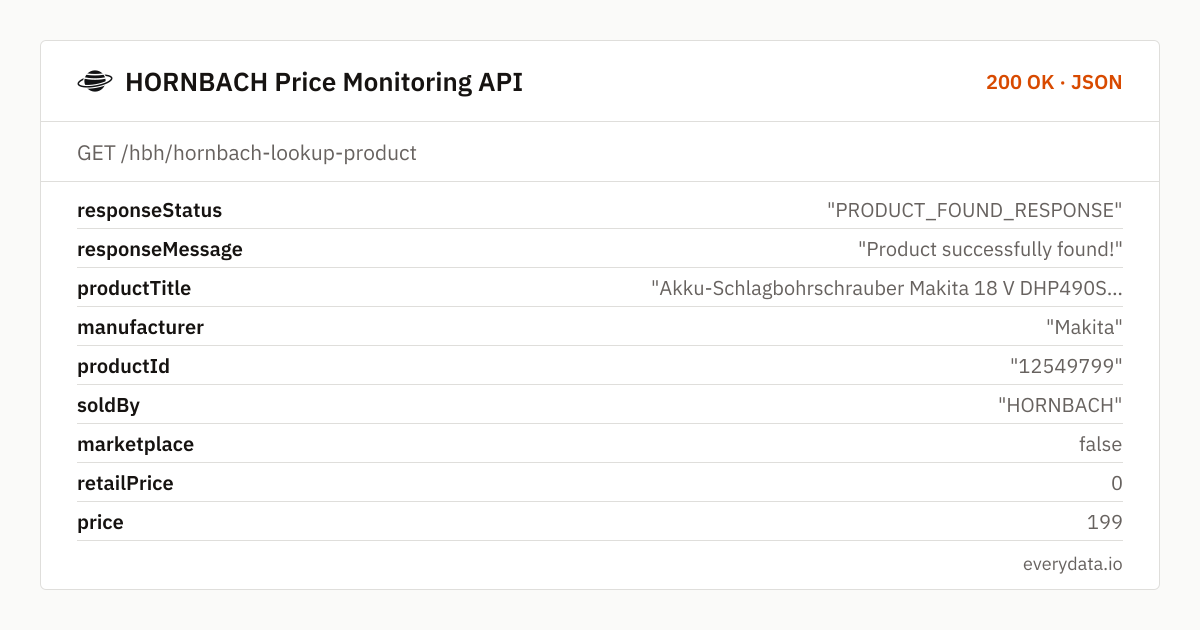
Store the article number (the number at the end of every /p/…/<id>/ URL) for each item on your list and call GET /hbh/hornbach-lookup-product with productId and domainCode on a timer. A full product URL works as well. The example is a Makita impact drill on hornbach.de, sold by HORNBACH and in stock in the default store.
GET /hbh/hornbach-lookup-product
curl "https://api.everydata.io/hbh/hornbach-lookup-product?productId=12549799&domainCode=de" \
  -H "x-api-key: YOUR_API_KEY"
Response (shortened)
{
  "responseStatus": "PRODUCT_FOUND_RESPONSE",
  "responseMessage": "Product successfully found!",
  "productTitle": "Akku-Schlagbohrschrauber Makita 18 V DHP490SFJ 65 Nm Brushless , inkl. 2 x Akku (3 Ah), Ladegerät DC18SD und MAKPAC Gr. 2",
  "manufacturer": "Makita",
  "productId": "12549799",
  "soldBy": "HORNBACH",
  "marketplace": false,
  "retailPrice": 0,
  "price": 199,
  "currency": "EUR",
  "unit": "ST",
  "basePrice": null,
  "available": true,
  "deliveryMessage": "Lieferzeit ca. 1-2 Werktage",
  "pickupAvailable": true,
  "pickupMessage": "5 ST im Markt vorrätig",
  "pickupStore": "HORNBACH Frankfurt Hanauer Landstr.",
  "ean": "197050010001",
  "domainCode": "de"
}
retailPrice is what turns a price series into a promotion log. An Einhell impact drill polled the same morning came back with price 189.0 and retailPrice 229.95 – HORNBACH showed a crossed-out price – while the Makita above has retailPrice 0. Store both fields; a drop in price with an unchanged retailPrice is a different event from a new strike-through campaign.
Check marketplace before you compare prices. For marketplace offers soldBy names the company ("Rubart GmbH" for a Makita DDF485Z in our test data), sellerId is that company's id, the delivery time is usually longer ("Lieferzeit ca. 6-7 Werktage") and pickupAvailable is false. Keying your history on productId plus soldBy keeps HORNBACH's own price and third-party offers apart.
The store fields describe HORNBACH's default store for the shop, not a store you choose – there is no store parameter. Use them as a signal for general in-store availability, not as a stock count for your local branch. An unknown article number answers with HTTP 404 and is not billed, neither are errors on HORNBACH's side.
Related endpoints
Product details. One product by link or article number: price, strike price, delivery time, store availability, EANs, attributes, images, data sheets and categories.
Search products. 72 products per page for a keyword with price, strike price, rating, brand, availability and seller; category keywords return that category on every page.
HORNBACH Price Monitoring API pricing: pay per request
Each product poll is one request; a search page with up to 72 tiles is one request too. Watching 80 articles twice a day is about 4,800 requests a month – the Starter plan (5,000 requests, €30). A full category sweep plus daily polls of a few hundred articles fits Production (50,000 requests, €80). Errors on HORNBACH's side are never billed.
- Free
- 100 req / month
- Starter
- 5,000 req · €30
- Production
- 50,000 req · €80
- Business
- 300,000 req · €300
HORNBACH Price Monitoring API: frequently asked questions
Does the API return a HORNBACH price history?
No. Every call is a live fetch of the current product page. Run the call on a schedule and store price, retailPrice and soldBy with a timestamp – that table is your price history.
Can I choose the store for the in-store stock line?
Not at the moment. pickupMessage and pickupStore describe the default store HORNBACH assigns to an anonymous visitor of the shop. Treat them as a general availability signal, not as stock for a specific branch.
How do I recognise a marketplace offer?
marketplace is true and soldBy names the selling company instead of HORNBACH. Marketplace articles usually have a longer deliveryMessage and no in-store pickup.
Is hornbach.at supported?
Yes. Pass domainCode=at, or a hornbach.at product URL. Prices are in EUR on both shops, so you can compare them directly.
Can I monitor a whole category instead of single articles?
Use GET /hbh/hornbach-search-by-keyword with a category term such as "akkuschrauber". HORNBACH answers category keywords with its category listing, 72 products per page, each with price, strike price, seller and availability.
Are reviews included?
productRating and countReview are returned with each product. Individual review texts and reviewer data are not part of the HORNBACH endpoints.
Related use cases


Poll your first HORNBACH article
Create a free account, pass an article number or product URL and get price, strike price, seller and stock line as JSON – 100 requests a month included.