Shopping · Zalando

Zalando Product Data API
The Zalando Product Data API gets you live Zalando data the moment you ask, as clean, structured data – ready for your own app, a spreadsheet or an AI assistant. No scraping, nothing to maintain.
100 free requests every month · no credit card · one API key for all platforms
Key facts
Updated
A Zalando article page is really a small matrix: one article number such as JA442C00S-N11, a handful of colourways, ten or more sizes, and a stock flag for each cell. Fashion teams need that matrix, not a single price. The everydata.io Zalando Product Data API fetches the live article page from zalando.de or zalando.co.uk and returns the whole thing as one JSON document – header data, seller, pricing, images, the material table and a variations block with per-size availability – without you maintaining a headless browser or fighting Zalando's front-end changes.
- Platform
- Zalando
- Main endpoint
- /zalando-lookup-product
- Quota per call
- 2 requests
- Free plan
- 100 req / monththen from €30 / month
What the Zalando Product Data API returns
The top level mirrors what a shopper sees. productTitle carries Zalando's three-part naming (model – category – colour, e.g. "EVERQUEST TEXAPORE MID - Hikingschuh - dusty olive"), manufacturer is the brand, and productId / asin hold the Zalando article number that stays stable across the size range. Because Zalando is also a marketplace under its Partner Program, soldBy and sellerId tell you whether Zalando itself or a partner such as "JACK WOLFSKIN Retail GmbH" is fulfilling the offer – useful when the same article shows up twice with different prices.
The variations array is where the fashion-specific value sits. A color dimension lists every sibling colourway with its own dpUrl, article number, image and available flag; a size dimension lists each size (EU sizes on zalando.de, UK sizes on zalando.co.uk) with its own SKU-level asin (JA442C00S-N110060000), price, retailPrice and whether it is currently in stock. productDetails contains the material and care table in the storefront language ("Obermaterial", "Innenmaterial").
- productTitle, manufacturer and the Zalando article number (productId, variationId)
- soldBy and sellerId to separate Zalando-fulfilled offers from Partner Program sellers
- price, retailPrice, priceSaving, shippingPrice and currency (EUR on .de, GBP on .co.uk)
- warehouseAvailability plus per-size and per-colour available flags in variations
- imageUrlList with full-size packshots from img01.ztat.net and a mainImage object
- productDetails key/value pairs for material, lining, sole, closure and care
- cacheTtl parameter (0–86400 seconds) for enrichment jobs that tolerate a slightly older page
What teams build with the Zalando Product Data API
Size-curve and stock-out analysis
Brands fetch their own articles daily and count how many sizes are available per colourway. A shrinking size curve on zalando.de signals a replenishment gap weeks before sales reports do.
Fashion catalogue enrichment
Map your SKUs to Zalando article numbers and pull packshots, material composition and care details to fill a PIM or a marketplace listing.
Partner Program seller monitoring
Use soldBy and sellerId to see which partner is currently winning the offer on a given article and whether Zalando's own retail offer has disappeared.
Competitive assortment research
Analysts compare how the same shoe model is priced and sized on zalando.de versus zalando.co.uk, including which colourways are exclusive to one storefront.
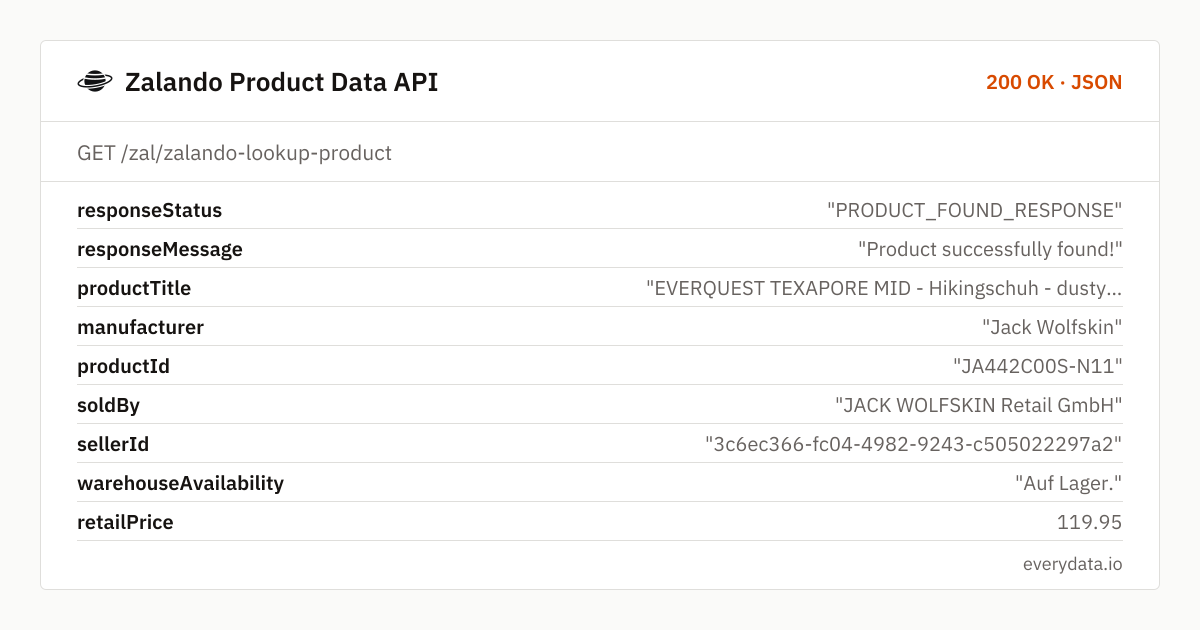
Zalando Product Data API: example request and response
Call GET /zal/zalando-lookup-product with the article URL as you copy it from the browser. The storefront is inferred from the host, so a zalando.co.uk URL returns GBP prices and UK sizes while a zalando.de URL returns EUR and EU sizes. Leave cacheTtl at 0 for a realtime fetch or set it to the number of seconds a cached page is acceptable.
GET /zal/zalando-lookup-product
curl "https://api.everydata.io/zal/zalando-lookup-product?url=https%3A%2F%2Fwww.zalando.de%2Fjack-wolfskin-everquest-texapore-mid-hikingschuh-dusty-olive-ja442c00s-n11.html&cacheTtl=0" \
  -H "x-api-key: YOUR_API_KEY"
Response (shortened)
{
  "responseStatus": "PRODUCT_FOUND_RESPONSE",
  "responseMessage": "Product successfully found!",
  "productTitle": "EVERQUEST TEXAPORE MID - Hikingschuh - dusty olive",
  "manufacturer": "Jack Wolfskin",
  "productId": "JA442C00S-N11",
  "soldBy": "JACK WOLFSKIN Retail GmbH",
  "sellerId": "3c6ec366-fc04-4982-9243-c505022297a2",
  "warehouseAvailability": "Auf Lager.",
  "retailPrice": 119.95,
  "price": 104.97,
  "priceSaving": 14.98,
  "shippingPrice": 0,
  "currency": "EUR",
  "domainCode": "de",
  "imageUrlList": [
    "https://img01.ztat.net/article/spp-media-p1/d81e153c6eee4a5eb63f0be78f0893c6/0f6cd2ac9bc6415e966b8959ad4b0d6d.jpg?imwidth=1800&filter=packshot"
  ],
  "productDetails": [
    {
      "name": "Obermaterial",
      "value": "Leder und Textil"
    },
    {
      "name": "Innenmaterial",
      "value": "Textil"
    }
  ],
  "variations": [
    {
      "variationName": "color",
      "values": [
        {
          "value": "dark navy",
          "asin": "JA442C00S-K11",
          "available": true,
          "price": 150,
          "selected": false
        }
      ]
    },
    {
      "variationName": "size",
      "values": [
        {
          "value": "39.5",
          "asin": "JA442C00S-N110060000",
          "available": false,
          "price": 104.97,
          "retailPrice": 119.95
        }
      ]
    }
  ]
}
Read the variations block as a grid. Every entry in the color dimension is a separate article number with its own detail URL – to get that colourway's own size grid, call the endpoint again with its dpUrl. Entries in the size dimension belong to the current colourway and carry the SKU-level identifier Zalando uses for a single size, so you can key stock tables on that value.
priceSaving is the absolute markdown (retailPrice minus price) and is only populated when the article is reduced; for full-price articles both values are equal. Individual sizes can be reduced differently from the article header, which is why each size entry carries its own price and retailPrice.
A 404 with statusCode and statusMessage means Zalando showed no article for that URL – usually a truncated link or an article that has sold out and been removed. Upstream blocks and timeouts return 5xx and are never deducted from your quota.
Related endpoints
Product details. Product page by URL: price, sale price, sizes and stock, delivery information, images.
Search products. Keyword search per country shop with paging, category and sorting: price, sale price and available sizes per article.
Zalando Product Data API pricing: pay per request
One article page is one request and counts 2 quota units, because Zalando pages sit behind bot protection, however many sizes and colours it contains. The free plan's 100 units a month (50 articles) are enough to map a small collection; Starter (5,000 units, €30) refreshes roughly 80 articles a day, and Production (50,000 units, €80) about 800 – a full brand catalogue. Requests that fail on Zalando's side with a 5xx are not billed.
- Free
- 100 req / month
- Starter
- 5,000 req · €30
- Production
- 50,000 req · €80
- Business
- 300,000 req · €300
Build it step by step
Connect Claude Desktop, Claude Code or the OpenAI and Anthropic APIs to everydata.io's hosted MCP server: live Amazon, YouTube and shop data in minutes.
Google Sheets · IMPORTDATA · Zalando · OttoPull live Zalando prices and Otto search results into Google Sheets with one IMPORTDATA formula, or a short Apps Script for a fixed daily refresh.
Zalando Product Data API: frequently asked questions
Which Zalando storefronts can I query?
Product lookups work with URLs from zalando.de (EUR, EU sizes) and zalando.co.uk (GBP, UK sizes). The response includes domainCode and currency so you can tell them apart in your database.
Do I get stock per size?
Yes. The size dimension inside variations lists every size with an available flag and its own SKU-level identifier. The top-level warehouseAvailability describes the article as a whole.
Why is soldBy sometimes a brand instead of Zalando?
Zalando runs a Partner Program in which brands and retailers sell through the platform. soldBy and sellerId identify that partner; when Zalando sells the article itself, you will see Zalando as the seller.
Can I look up an article by its article number instead of the URL?
Not directly – the endpoint takes a URL. Search for the article number with /zal/zalando-search-by-keyword and use the dpUrl from the first result, or build the URL from a known slug.
What does cacheTtl do?
cacheTtl is the maximum age in seconds of a cached page you are willing to accept, up to 86400. With 0 (the default) every call fetches the live page. Cached responses are faster and are flagged in your usage statistics.
Related use cases

Fetch your first Zalando article
Create a free account, paste any zalando.de or zalando.co.uk product URL and receive the full size and colour matrix as JSON – 100 quota units a month included.