Video · YouTube

YouTube Channel Stats API
The YouTube Channel Stats API gets you live YouTube data the moment you ask, as clean, structured data – ready for your own app, a spreadsheet or an AI assistant. No scraping, nothing to maintain.
YouTube is only partly reachable right now. Our regular checks currently see failed requests. Failed requests cost no quota. Live success rates are on the status page.
100 free requests every month · no credit card · one API key for all platforms
Key facts
Updated
YouTube channel stats answer what agencies, talent scouts and competitor watchers ask most: how big is this channel, how often does it publish, which formats does it use and how do recent uploads perform? everydata.io reads the public channel pages and returns them as JSON – details by channel ID or @handle URL, latest videos, streams and Shorts with view counts, and playlists with their videos. It is the same public data a visitor sees, delivered without OAuth or Google quota; private Studio metrics such as watch time or revenue are not part of it.
- Platform
- YouTube
- Main endpoint
- /youtube-channel-videos
- Quota per call
- 1 request
- Free plan
- 100 req / monththen from €30 / month
What the YouTube Channel Stats API returns
GET /ytb/youtube-channel-details takes id as the UC… channel ID or a URL such as https://www.youtube.com/@WWE and returns channelId, title, handle, description, keywords[], url, vanityUrl and rssUrl (the feed URL you can subscribe to for new uploads). Size and trust indicators come as numbers and labels: subscriberCount with subscriberCountText, videoCount with videoCountText, isVerified and isFamilySafe. avatar[] and banner[] provide image URLs with dimensions, availableCountryCodes lists where the channel is visible and tabs[] tells you which sections (Home, Videos, Shorts, Live, Playlists) the channel has enabled.
GET /ytb/youtube-channel-videos lists uploads newest first as items[] with videoId, title, viewCount, viewCountText, publishedTimeText, duration, durationText, thumbnails[], isLive and badges[]. The filter parameter switches format: videos_latest (default), streams_latest for past and scheduled live streams, shorts_latest for Shorts and live_now for streams currently on air. /ytb/youtube-channel-playlists and /ytb/youtube-playlist-videos add the playlist layer, all with the same cursor paging.
- Channel ID or @handle URL accepted; response always normalises to channelId and handle
- subscriberCount, videoCount, isVerified, isFamilySafe, keywords[], description, rssUrl
- avatar[] and banner[] image URLs with width/height; availableCountryCodes[] and tabs[]
- Latest uploads with viewCount, publishedTimeText, duration, isLive and badges via filter=videos_latest
- Live-stream and Shorts views with filter=streams_latest, shorts_latest and live_now
- Channel playlists and playlist contents through two further cursor-paged endpoints
- Public data only – no login, no private Studio metrics
What teams build with the YouTube Channel Stats API
Influencer discovery and vetting
Resolve @handles from a brief, pull subscriberCount, isVerified, upload cadence and average views of the last 30 videos, and rank candidates before outreach.
Competitor channel tracking
Snapshot subscriberCount and videoCount daily for a set of competitor channels and correlate growth spikes with specific uploads from the videos list.
Format performance analysis
Compare view counts across filter=videos_latest, shorts_latest and streams_latest to see which format drives a channel's reach and how that mix changes over time.
Content aggregation and feeds
Build a topic hub that lists the newest uploads from dozens of channels, using rssUrl for lightweight polling and the videos endpoint for thumbnails and view counts.
YouTube Channel Stats API: example request and response
Resolve the channel first, then walk its content. The details response gives you the canonical channelId, which is what you should key your database on – handles can be renamed, IDs cannot. Then request /ytb/youtube-channel-videos with the same id and the filter you need; the example shows the two most recent WWE uploads.
GET /ytb/youtube-channel-videos
curl "https://api.everydata.io/ytb/youtube-channel-videos?id=UCJ5v_MCY6GNUBTO8-D3XoAg&filter=videos_latest" \
  -H "x-api-key: YOUR_API_KEY"
Response (shortened)
{
  "responseStatus": "PAGE_FOUND",
  "responseMessage": "Page successfully found!",
  "channelId": "UCJ5v_MCY6GNUBTO8-D3XoAg",
  "filter": "videos_latest",
  "items": [
    {
      "type": "video",
      "videoId": "b7kl_pcHa0A",
      "title": "Blake Monroe vows to get payback against Giulia: SmackDown exclusive, Sept. 18, 2026",
      "viewCount": 6800,
      "viewCountText": "6.8K views",
      "publishedTimeText": "47 minutes ago",
      "duration": 110,
      "durationText": "1:50",
      "thumbnails": [
        {
          "url": "https://i.ytimg.com/vi/b7kl_pcHa0A/hq720.jpg",
          "width": 360,
          "height": 202
        }
      ],
      "isLive": false,
      "badges": []
    },
    {
      "type": "video",
      "videoId": "j-RnEhNl-EU",
      "title": "Full SmackDown highlights: Sept. 18, 2026",
      "viewCount": 627000,
      "viewCountText": "627K views",
      "publishedTimeText": "10 hours ago",
      "duration": 561,
      "durationText": "9:21",
      "thumbnails": [
        {
          "url": "https://i.ytimg.com/vi/j-RnEhNl-EU/hq720.jpg",
          "width": 720,
          "height": 404
        }
      ],
      "isLive": false,
      "badges": []
    }
  ],
  "cursor": "4qmFsgLZCRIYVUNKNXZfTUNZNkdOVUJUTzgtRDNYb0FnGrwJOGdhRUJ4cUJCM3ItQmpyN0Jnb2tObU0xTmpNeFpUUXRNREF3TUMweVlqRTBMVGhoWXpNdE5UZ3lOREk1WWpjMU4yVmpFdEFHUVdWUFdWTkxTa1ZsYlVkb1ZsSnJjQzFTUVdWcFRXODBPVzB3VFdSR2J…"
}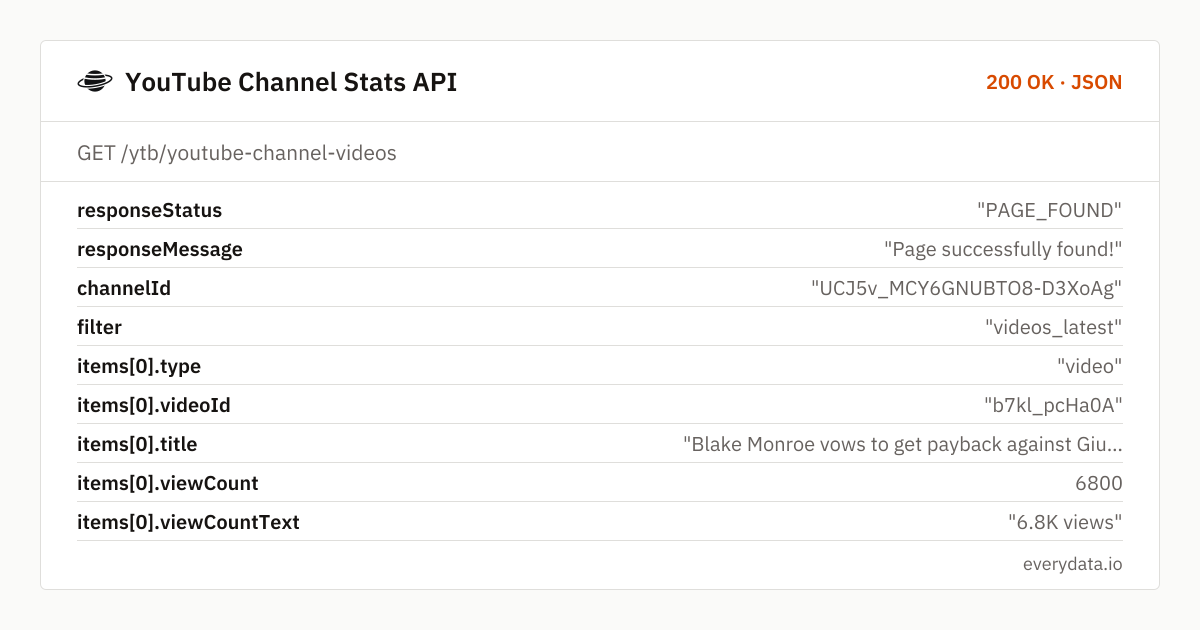
Each page holds about 30 items and ends with a cursor; send it back as the cursor parameter to fetch older uploads, and stop when it is absent. viewCount on the channel grid is YouTube's rounded public figure (6.8K, 627K) – for the exact count of a specific video call /ytb/youtube-video-details with the videoId. publishedTimeText is relative, so timestamp your fetches if you compute upload cadence.
Subscriber counts on the details endpoint are the public figure YouTube displays, rounded to three significant digits above 1,000 (114000000 for WWE). Daily snapshots move in visible steps – fine for growth trends, not for exact deltas. videoCount is likewise rounded.
What you will not find here is anything behind the creator login: watch time, average view duration, impressions, traffic sources, demographics or revenue. Those live in YouTube Studio. Everything this API returns is visible to a signed-out visitor, which also means it works for every channel, not just ones that granted you access.
Related endpoints
Channel details. Channel metadata by id or handle URL.
Channel videos. Latest videos, streams or shorts.
Channel playlists. Playlists of a channel.
Playlist videos. Videos of a playlist.
YouTube Channel Stats API pricing: pay per request
Channel details, one page of videos or one page of a playlist each count as one request. A daily snapshot of 500 channels (details plus the first page of uploads) is 1,000 requests a day – around 30,000 a month, which fits the Production plan (50,000 requests, €80). Business (300,000, €300) scales to a few thousand channels with playlist coverage. Upstream 5xx responses are never billed.
- Free
- 100 req / month
- Starter
- 5,000 req · €30
- Production
- 50,000 req · €80
- Business
- 300,000 req · €300
YouTube Channel Stats API: frequently asked questions
Can I look up a channel by its @handle?
Yes. Pass the handle URL, e.g. id=https://www.youtube.com/@WWE, and the response returns the canonical channelId alongside handle and vanityUrl. Store the channelId – handles can change, IDs never do.
Does the API return watch time, revenue or demographics?
No. Those metrics are private to the channel owner in YouTube Studio. The API returns public analytics only: subscriber and video counts, verification, per-video views, publish times, durations and formats.
How exact is the subscriber count?
It is the figure YouTube publishes, rounded to three significant digits for channels above 1,000 subscribers (for example 114000000). Growth trends are reliable; single-subscriber changes are not observable for large channels.
How do I get Shorts or live streams only?
Use the filter parameter on /ytb/youtube-channel-videos: shorts_latest for Shorts, streams_latest for past and upcoming streams, live_now for what is currently live. videos_latest is the default.
Can I walk a channel's entire upload history?
Yes, by following the cursor returned with each page of about 30 items until none is returned. A channel with 96,000 videos like WWE is roughly 3,200 pages, so budget requests accordingly or limit to the recent window you need.
Related use cases

Profile your first channel
Create a free account and call GET /ytb/youtube-channel-details?id=https://www.youtube.com/@WWE – subscriber count, verification and feed URL in one JSON document.